
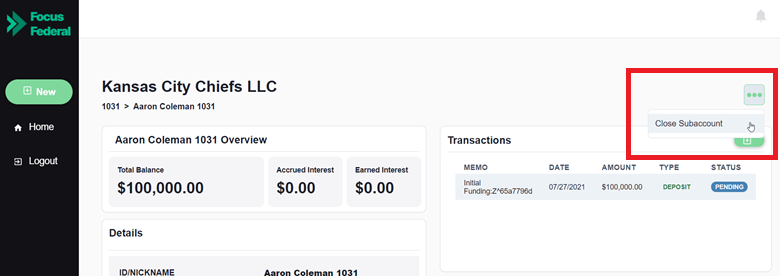
You can close an account from the subaccount dashboard by clicking on the three dots on the right side of the screen and then selecting “Close Subaccount”.
From here, a new screen will open where you can review the closure details and insert an optional memo for tracking purposes. After the closure request has been initiated, if you have a disbursement account, the funds will be available for disbursement from the bank account held with the financial institution within one business day. Note that the subaccount will not be fully closed and archived until the balance is $0.00.
Note: If the subaccount is eligible to earn accrued interest on closures that take place outside of the monthly statement cycle, you will see the additional interest added to the current balance when initiating the closure.
Related Articles:
How can I view closed subaccounts?
Can an account be closed while there is a pending transaction?
Comments
0 comments
Article is closed for comments.